Taking a short break.

Parabellum has been an on-going project for about two years now. Despite a relatively simple design, it’s overwhelmingly complicated at times; I’m at best an amateur programmer and I’m by no means a creative director or an art director.

Progress has been relatively slow; I take long breaks, mainly due to getting overwhelmed and as a result paralysed. Despite this, I still wholeheartedly want to make Parabellum. It’s still the project I want to be working on, even two years after I started. I take that as a really good sign; if I’d gotten bored with Parabellum, I simply would’ve downed tools on it.

That being said, I feel I really need a mental reset. Right now, Parabellum is at a point where I’m figuring out the art style, and needing to author a bunch of art for the first proper level. Then, it’s debugging and polishing what’s currently there. It’s not super attractive right now. I want to make some new stuff.

So, I decided I’m going to take a short break. Maybe a fortnight, maybe a month tops. I’m going to work on a tiny 2D project, reset, and come back to Parabellum refreshed and hopefully with a new perspective. I’ve been blasting through the prototype code the past couple of days, it’s been a ton of fun. I feel really energised about development again.

Getting that “I just want to code new features” bug out of my system in an isolated project is probably way healthier than adding a bunch of jank scope creep to Parabellum. It’s no longer a break in updates than usual, just this time.. it’s intentional, not procastination.

Back in a few weeks.

-Rob
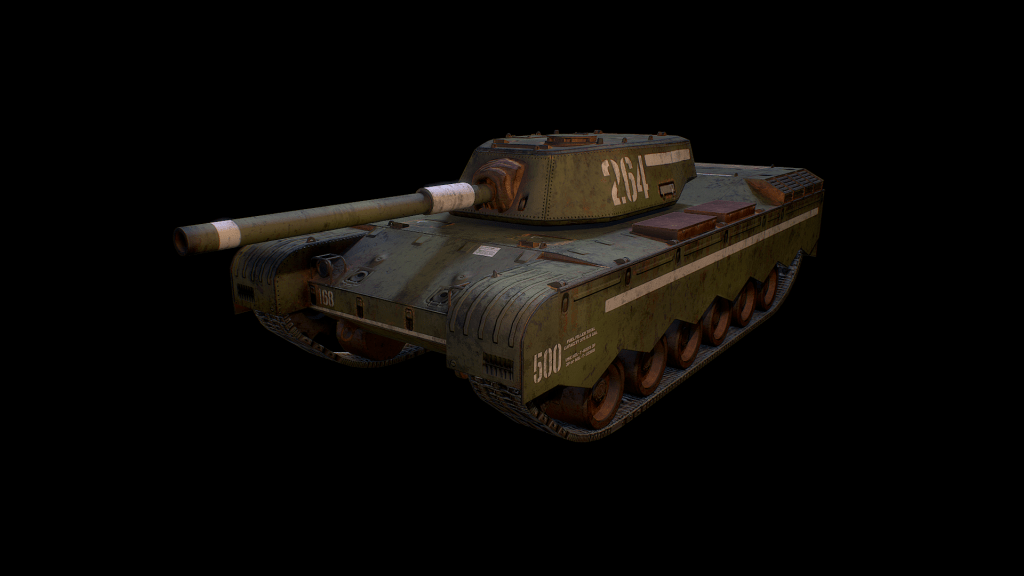
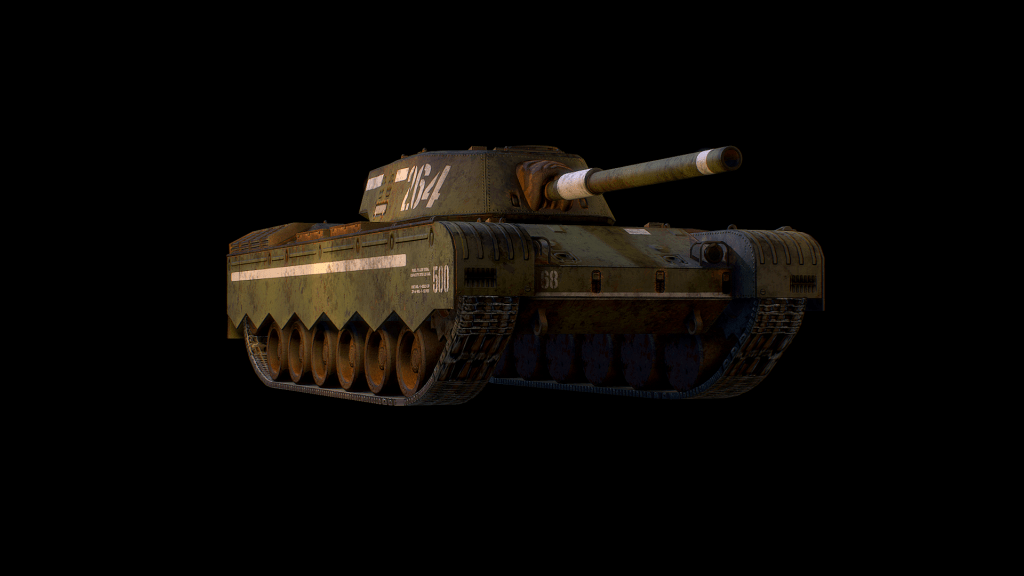
Art Style Exploration #1

A while back, I realised it would be impractical to attempt to make highly detailed and realistic looking assets for this project; simply put, I don’t have the time or energy to do that. To that end, I wanted to explore different visual styles, to find something that is time-efficient to make but at the same time visually appealling. I settled on two in my research.

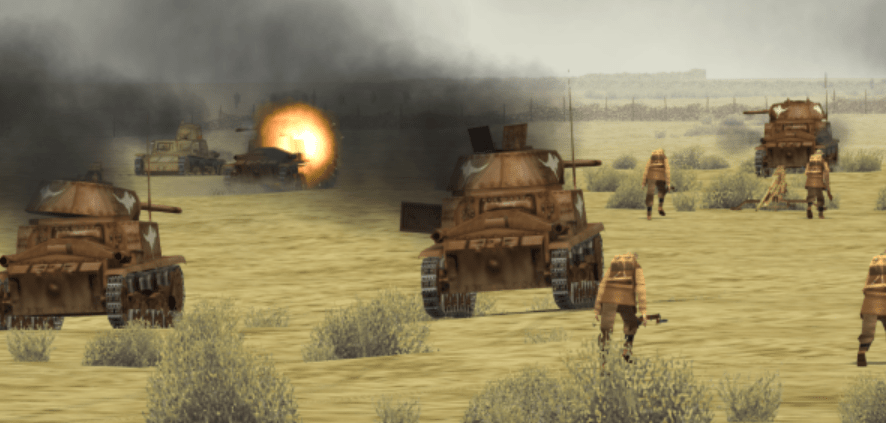
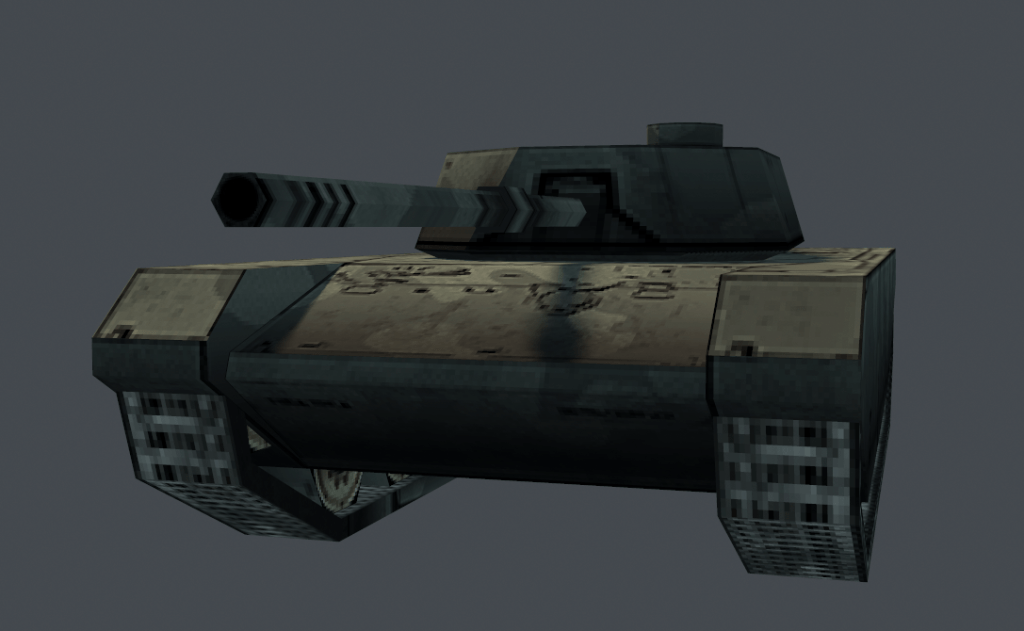
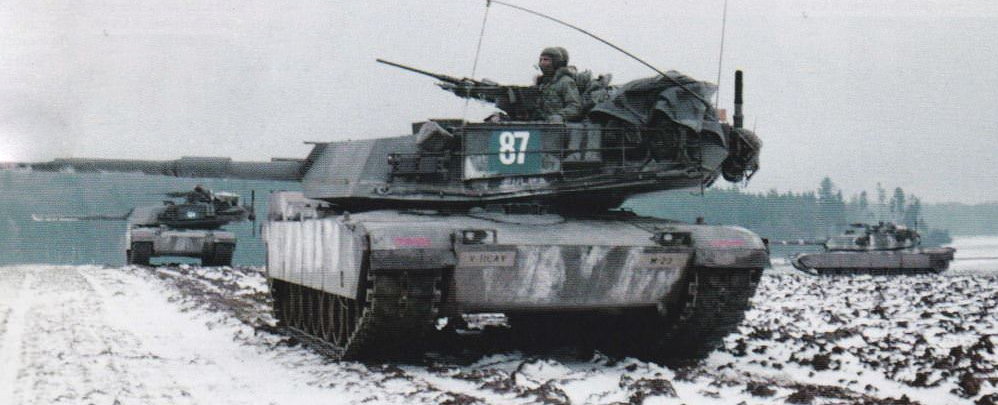
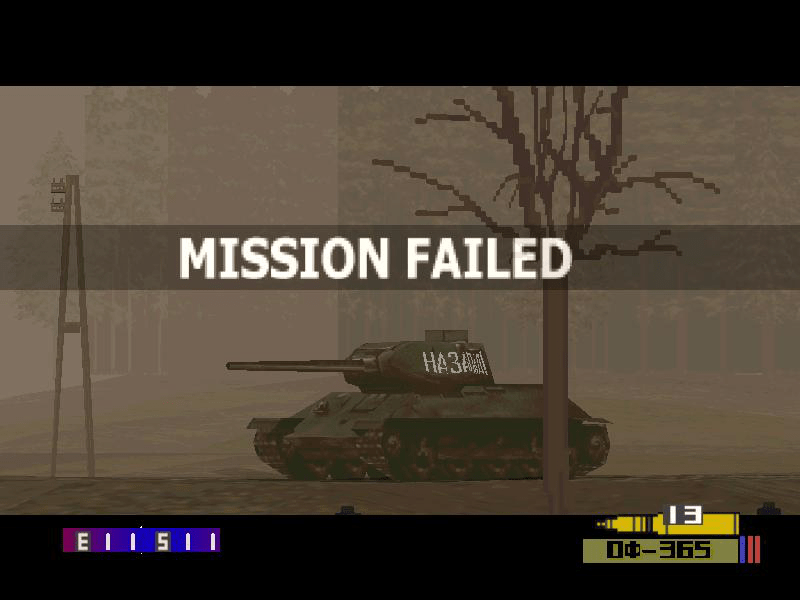
Panzer Front was a Japanese PS1 game by Enterbrain, who are probably best known now for making the RPG Maker series of game engines. It was huge inspiration for the project, and I have a soft spot for the aesthetic. There’s something about that early 3D look that I still love.. maybe it’s because it reminds me of the excitement we all felt at the possibility of 3D?

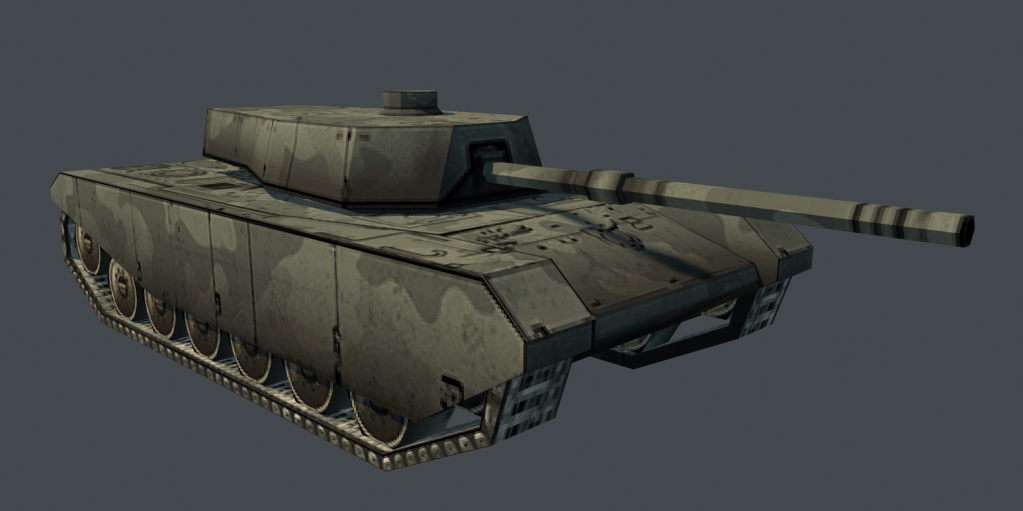
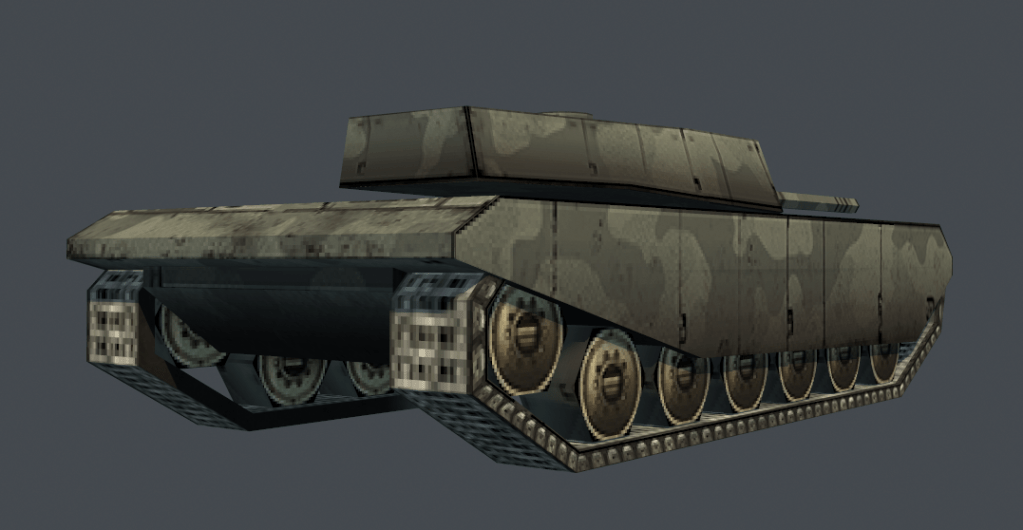
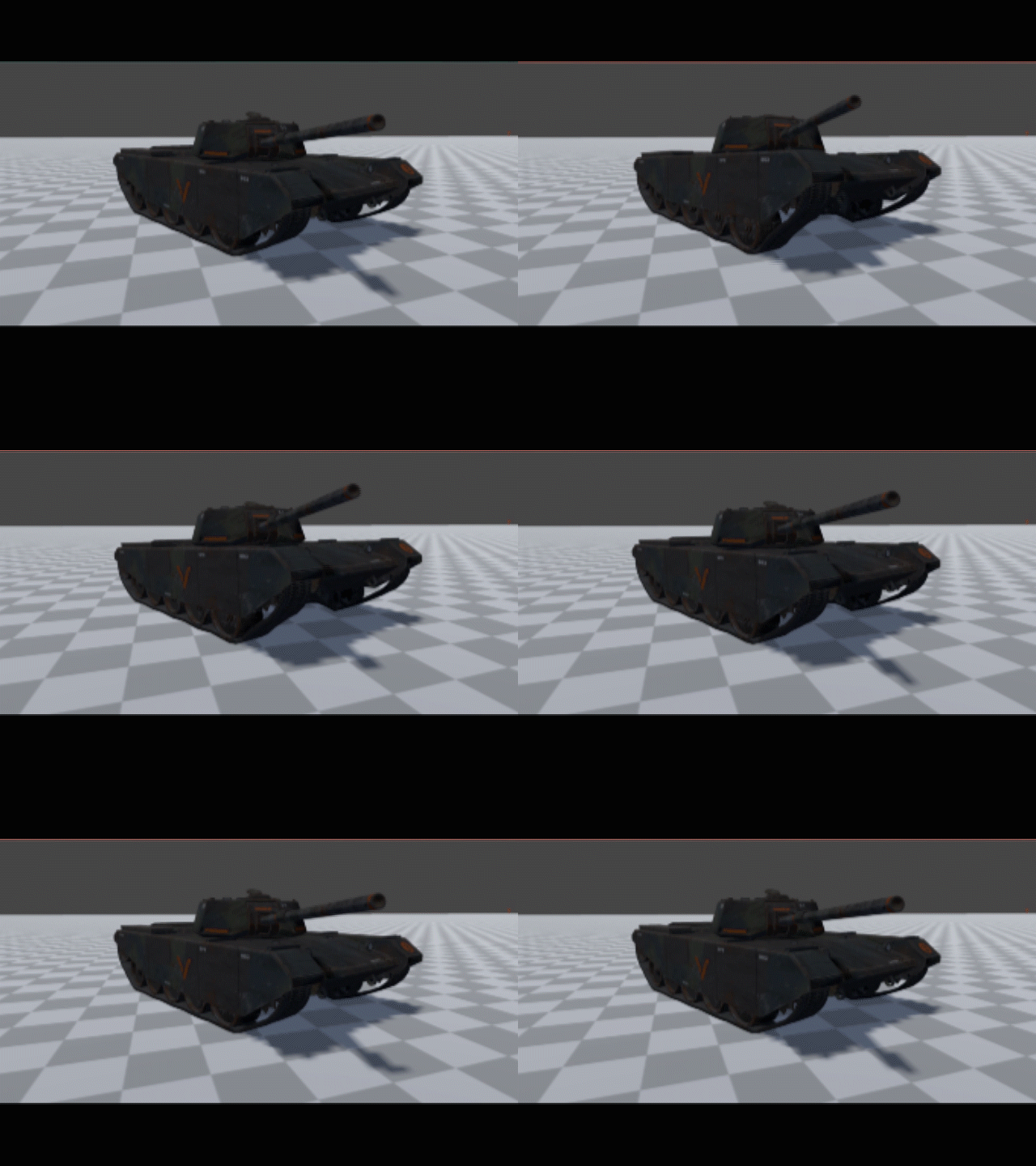
I wanted to see how the game might look in this aesthetic, so I started making a small diorama to test it out. This is a quick test of the Sabre in that style; with some compromises. In Panzer Front the track and wheels are one solid block, however I didn’t want to lose the spinning wheels and track deformation I already had, so elected to break convention a little and keep them separate.

I had tried this aesthetic before, but I tried to use modern techniques for the textures and the result was horrible. This time, I tried to think about how these textures would’ve been made at the time, and emulate that process. I figured the most likely process was to use photographs to piece together the texture, then touch up in Photoshop. It took a little longer than I expected purely because I didn’t have ample reference, but the actual construction was pretty rapid.

I need to build the rest of the diorama to be able to assess this style, but I’m optimistic so far.

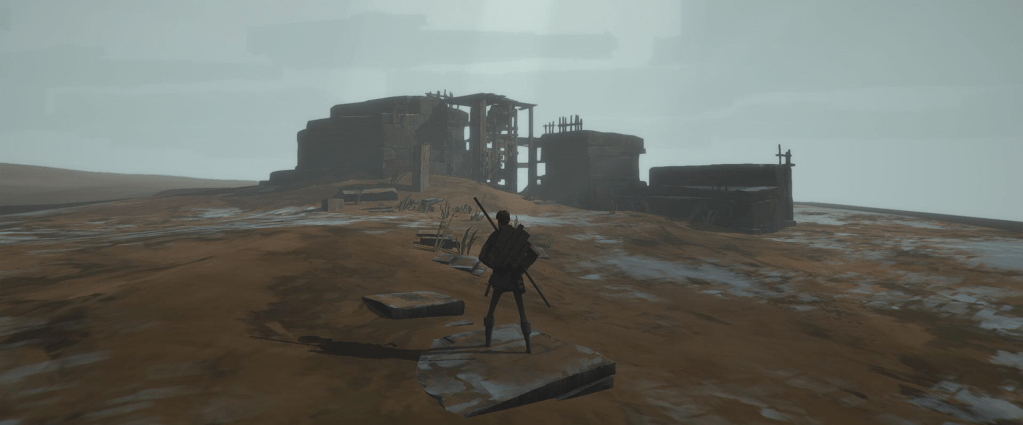
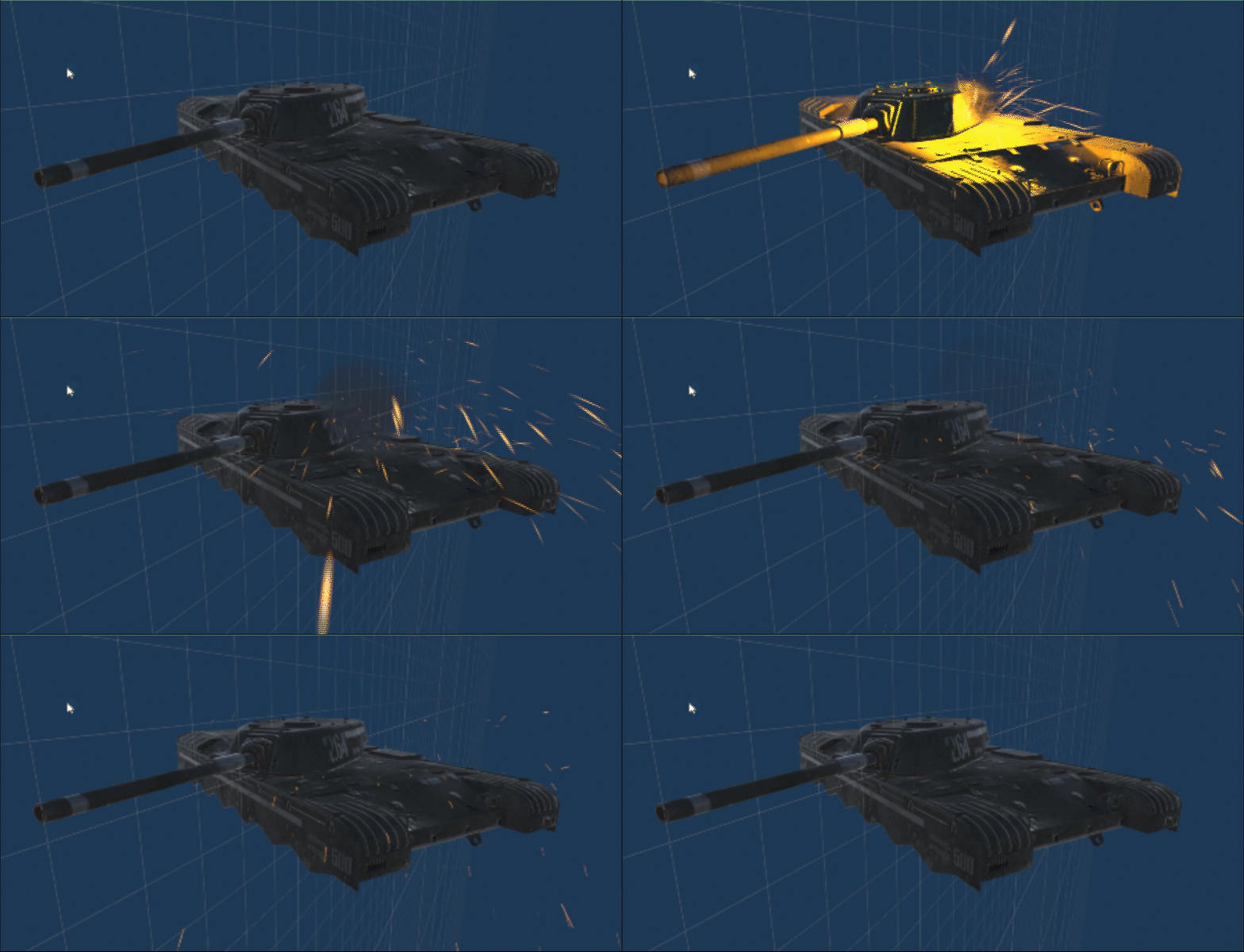
The second style I looked at was based on the game Ashen, which oozes the kind of atmosphere I want in this biome for Parabellum. I think it appeals to me so much because I really appreciate paintings done with minimal brush strokes; I’m so impressed when an artist can make your brain see a complete scene with only a handful of lines.

This is what I’ll be attempting after the lo-fi 3D, to compare and contrast the results and finally settle on a style for the game!

-Rob

Infantry Update, November 2020

Infantry have existed in the game for a while now, but in an incredibly basic form. Previously, they were a floating diamond that moved from cover to a firing position; with no ability to be targetted or destroyed. I wanted to change that, so I devoted some time to bringing them up to more of a representation of what they’ll eventually be.

Disclaimer; their art and animations are incredibly placeholder and have had little to no time put into them. I just needed a biped and an animation to play so I could get the code blocked out and iterate on it. They don’t properly turn to face their target or aim their weapon, this is something I want to have a proper pass of, I need to sit down and learn how to do it properly first but now isn’t the time.

Anyway, you can see them in action in the video above. They currently hide, waiting for a target to present itself, then pop out to fire a rocket, before popping back into cover to reload. You can counter them with any weapon, but the coaxial machine gun is by far the best weapon for the job. They only take one hit to incapacitate.

Here’s some stuff I’d like to do with them, in the future;

  • proper aiming towards target.
  • have them return to cover if they’re being shot at.
  • have an “idle” state where they’re not in cover, so you can catch them off-guard.

I’ll return to polish these up at a later date, but for now they’re functional so it’s back to shoring up this defence mode so I can get a complete loop done.

-Rob

AOE damage & mines, October 2020

(I know this was published November 1st; it was supposed to go up yesterday but technical issues so it’s still October to me)

Area-of-Effect Weapons

The damage system in Parabellum was entirely built with armoured vehicles in mind, so it’s designed to take into account armour plates protecting delicate interior components. Projectiles are based on striking an armour plate, and doing a penetration calculation, etc etc.

As a result, radial area-of-effect damage just wasn’t possible. Well, I figured it was time to sort that out, so I devoted a chunk of time to refactoring how the projectiles work so that you could have both direct-fire armour piercing rounds, and splash damage explosive rounds.

The very short version is, I had to rewrite the projectile logic, but it’s much more efficient and compact now. It turns out, I wrote that code early, and it wasn’t good. Now though, when a high explosive round goes off, it can damage nearby targets, but has to test against their armour first. It’s like firing a bunch of smaller armour piercing rounds out in a radius, in theory.

The end result is that you will be able to fire a high explosive round behind an enemy and potentially catch their weaker armour with the splash, or hit the crew behind an anti-tank gun, hit infantry in cover etc etc.

Anti-Tank Mines

I wanted to apply this new high explosive addition to an object I’ve wanted to put in for a while, but haven’t been able to; anti-tank mines.

It wasn’t super simple; getting it to react to contact was easy, but getting it to essentially detonate a high-explosive round after contact wasn’t as simple as just spawning one or something. Instead, the mine is essentially a projectile itself. It’s a sub-class that can be manually detonated by proxity/contact — hilariously, in trying to find the most straight-forward solution to getting mines working in the game, I accidentally made them work essentially like real-life.

Anyway, I’m going to take a little break for now as area-of-effect involved a few late nights and a bit of stress. The next update should show off adding barricades, mines, and infantry to your defences in the defence mode!

-Rob

AI Update 2 & Defence Mode, Oct 2020

I covered the revised vehicle AI in my previous post, but you’ll be able to see it in motion in this video now. I haven’t changed much since the last update so I won’t go over it again in detail, but in short it adds in the ability to change location to avoid being a static target, and adds in the ability to attempt to flank a target.

I wanted to move away from testing mechanics in isolation, as I found I kept breaking other mechanics without realising. Instead, I wanted to create a simple mission to test with, so I could test with all the mechanics working together. That way, anything broken would be noticable immediately.

I’ve created a very simple “defence” type game mode, intended for a little bonus challenge mode or something. It’s actually a revamp of a mission idea I had before that I scrapped, since it required too much custom code and too many new mechanics for just one mission. I decided to pull it out of retirement and use it for a fun challenge mode — thing of Horde from Gears of War, or Firefight from Halo.

As you’d expect, enemies appear in waves and attack, with the player tasked on holding out until the end of the waves. Between waves, they can repair and rearm, but also request help.

Currently, you can request anti-tank guns to be set-up, and request friendly vehicles to come help. These vehicles will be commandable once I re-integrate those movement commands.

Additionally, I want you to be able to call infantry to garrison in structures and fire from them, and eventually airstrikes (though they aren’t being worked on for now, much later). I also want you to be able to build barricades, to creake choke points and force the enemy to attack from certain directions. Barricades may either slow, or stop enemies.

This starting map will be a homage to the crossroads from Fury, so it will start quite open, with a few buildings and fences. With barricades though you’ll be able to force the enemy into narrow paths and funnel them into your defences!

-Rob

AI Update, October 2020

Apologies for the long gap in updates; I haven’t had the energy to work on Parabellum recently due to work being very stressful and all consuming. Thankfully, we’re now at the end of that project, so I’ve had the chance to pick this up again.

I’ve spent some time recently improving the vehicle AI. Previously, it would only advance on the target, before stopping and firing. It was basic, but functional. I wanted to add a little more to it, to make enemy and allied vehicles less static targets.

How the AI works

When an AI controlled vehicle picks a target, it checks if it’s in range. If it isn’t, it first tried to move into effective range. Once able to bring weapons to bear, it will fire a few shots, and then “shuffle” a little, moving to a different spot nearby to try and throw off the enemy’s aim. A player may duck into cover to reload, then find the enemy has moved when they re-emerged.

The AI will also attempt to move into a flanking position at random intervals. The most common type is to attempt to move to the left or right of their target, but they can also attempt to get behind too. The idea is, more veteran units will flank more frequently, with elite units trying to get behind their target more often.

The AI will re-assess it’s movement if the target has also moved; so it will not blindly go to a spot that is no longer a flanking angle.

It’s not perfect, or really that advanced, but it’s a step up from what it was before and in practice it works quite nicely for Parabellum. I was going to make a video showing it off, but I’ve found some issues with pathfinding I’d rather resolve first. It’s close, but I feel it’s not done so doing a video would be a bit premature. Still, thought a text update was a good way to show signs of life!

-Rob

Vehicle Update 07

  • Previously, the Sabre only had hitboxes on the chassis, this has been corrected. Now, both vehicles can take damage and be destroyed, and have accurate and detailed armour plates. They’re not 1:1, they are simplified compared to the 3D model, but detailed enough for what is needed.
  • I updated the crosshair and mouse placement image, as they hadn’t changed since the start and were gross placeholders. I still need to do a final UI concept but these are closer to what I had in mind.
  • I added an ammunition counter to the side of the crosshair, so you can tell how many rounds (primarily for automatics) are remaining before reload. This definitely will move and change, but I felt for now it needed to at least be prototyped.
  • Likewise, I added a “weapon name” and “ammunition name” element to the bottom right of the HUD. I will explain more in a moment.
  • You can now switch between the main cannon, and the coaxial machine gun. The HUD will tell you what you are currently using, and the ammunition counter will reflect current ammunition. If the selected weapon has more than one ammunition type you can see that, too. You can cycle between ammunition types using left and right on the d-pad, currently.
  • (That may become a radial wheel in the future; I will likely aim to get that working for a demo and see what people prefer. Likely, this text will turn to icons at some point, but for now it serves a purpose)
  • Fixed broken rate-of-fire which made the machine gun fire like a hose.
  • Fixed issue where any weapon script would fire when “A” or “LMB” was pressed, due to all weapons drawing from the main firing input. Now, only the selected and active weapon is triggered.
  • There is now a sound to indicate a weapon has reloaded and is ready to fire. There is also now a sound for when you try to fire while reloading, indicating you currently have no rounds and are reloading.
  • When you fire, it cycles through a couple sound effects now, so automatic weapons don’t cut off a sound in progress when starting a new one. This can also allow for variation in firing sounds to break up automatic fire.
  • Previously projectiles were just an elongated mesh; they still are, but how elongated is now based on speed. It just prevents projectiles that come to a stop looking like huge needles.

Vehicle Update 06

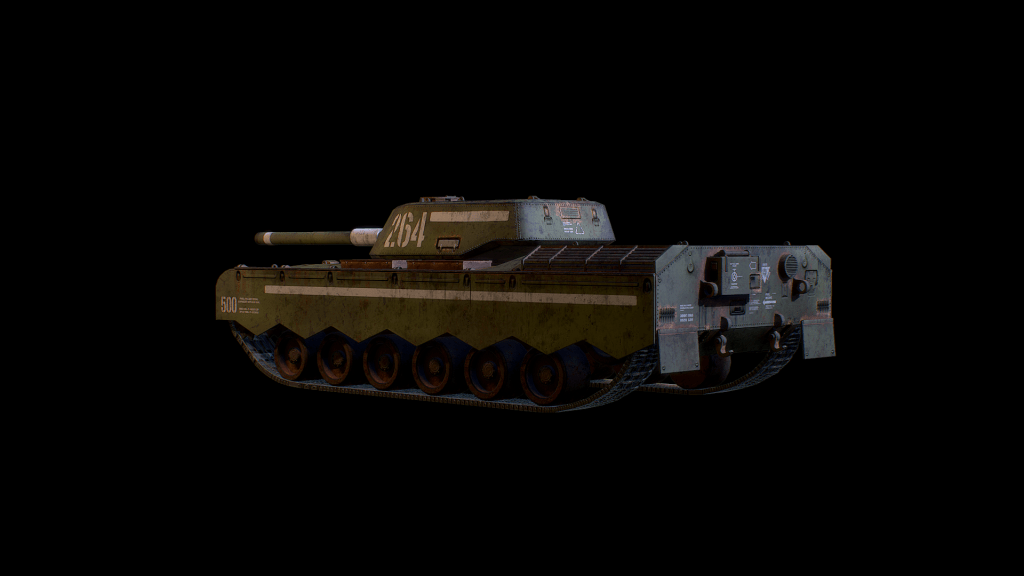
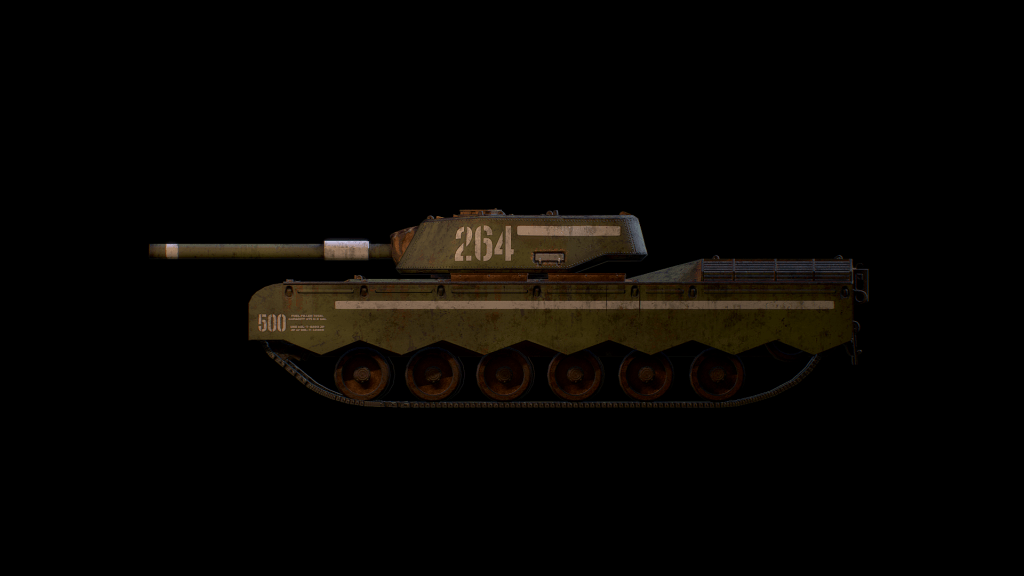
I put together a model for the first enemy vehicle; the Hammer. It’s not final, but it’s a good start. Thankfully, it was fairly painless to set up; the master vehicle is easy to adapt, mostly it’s just the art that needs to be replaced, and a few references re-established.

I made new “armour” for it too, “armour” being what I call the various hitboxes that carry a variable for armour thickness and handle projectile penetration, etc.

I also started working on feedback for vehicle fighting.

The first gif is the recoil for the cannon, which rocks the vehicle to give a nice sense of weight to each shot.

The second gif is an early version of the ricochet effect, which is meant to demonstrate that your shot has not penetrated but instead bounced off the target.

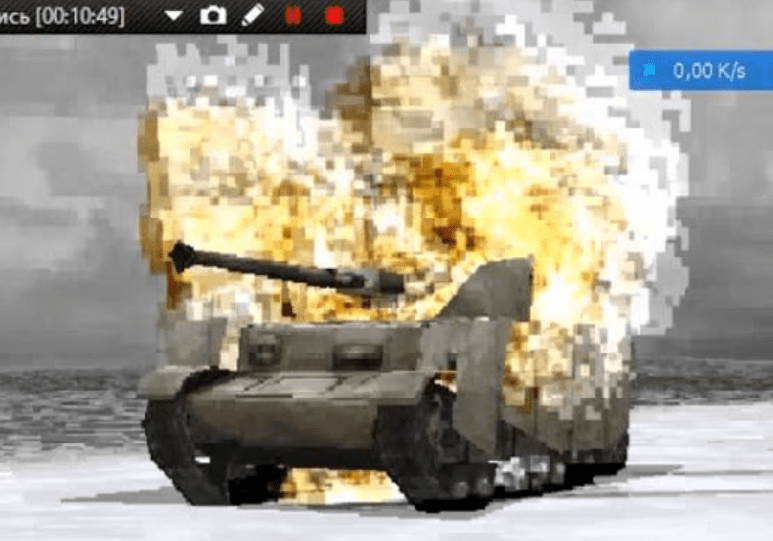
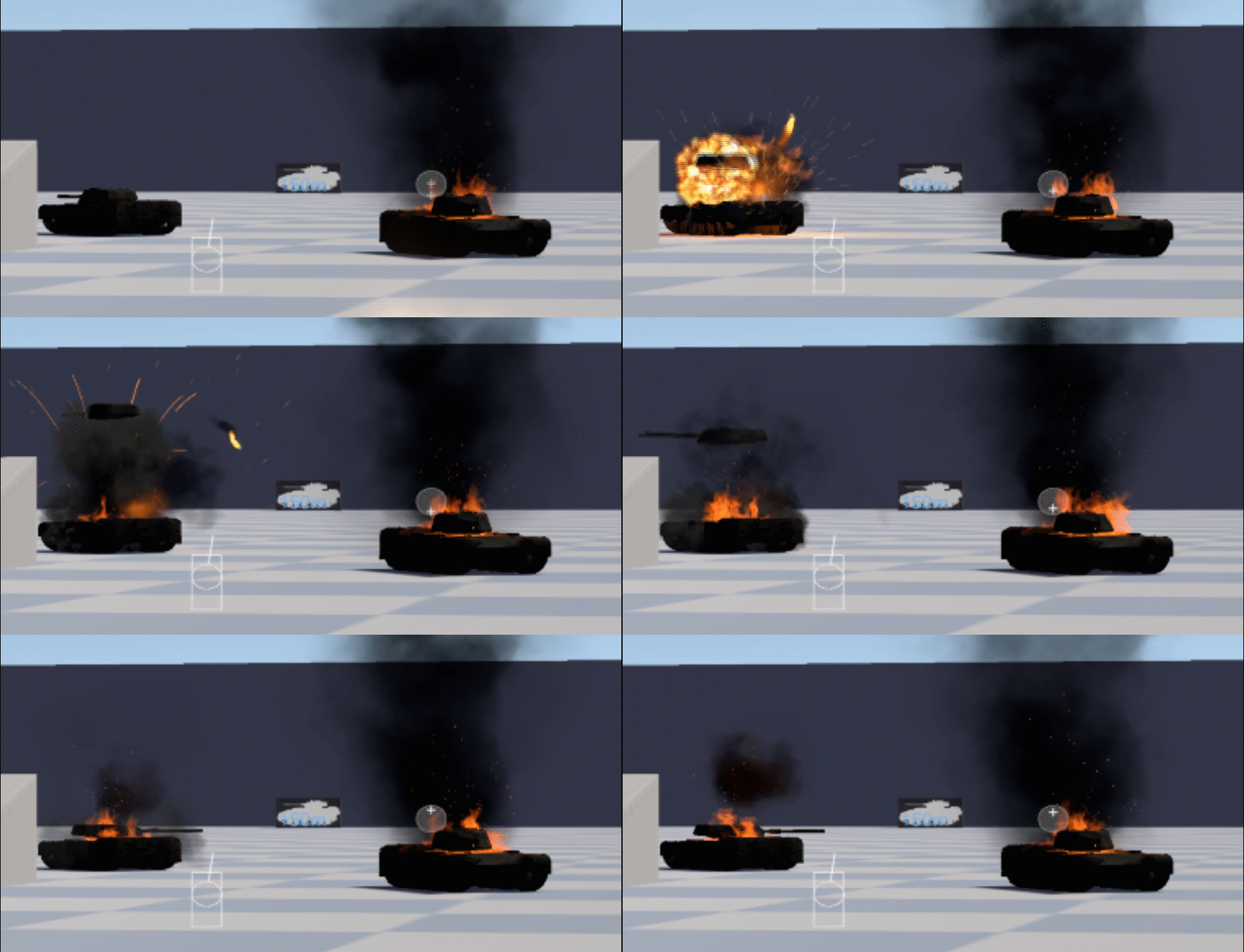
The final gif shows new the “burning” effect that plays on a wrecked vehicle after destruction, and the explosion that will happen on a standard vehicle death. I need a more intense version for ammunition fires! It also shows a ricochet destroying a second vehicle, a fun albeit tricky shot to pull off, but a satisfying one!

Vehicle Update 05

It’s only a small thing, but I’ve added in some basic SFX and VFX for the vehicle as you drive around. They’re first pass so they’re a little jank, atm. I think they add a little to the feel of the vehicle.

I want to, eventually, have different VFX appear behind vehicles to reflect the terrain type you’re driving on. So dirt for grass and mud, snow for snowy areas, water in shallow rivers etc etc. That’s not a requirement now though so for now it’s just one type.

I’d like to add in a sound for the turret rotation next, and a reloading sound so you can tell audibly when you’re good to go again.

Vehicle Update 04 (Bonus)

I managed to squeeze some extra polish in tonight before I downed tools. Here’s a quick demo of the Sabre firing, it shows off the recoil animation and recoil impulse on the vehicle, as well as the highly placeholder SFX and VFX.

Design a site like this with WordPress.com
Get started